
Product guidance
What Does a Catch-All Email Result Mean? How to Handle It
Catch-all email meaning explained: why some domains accept every address, why the result is undetermined, and how to route those contacts in a list.
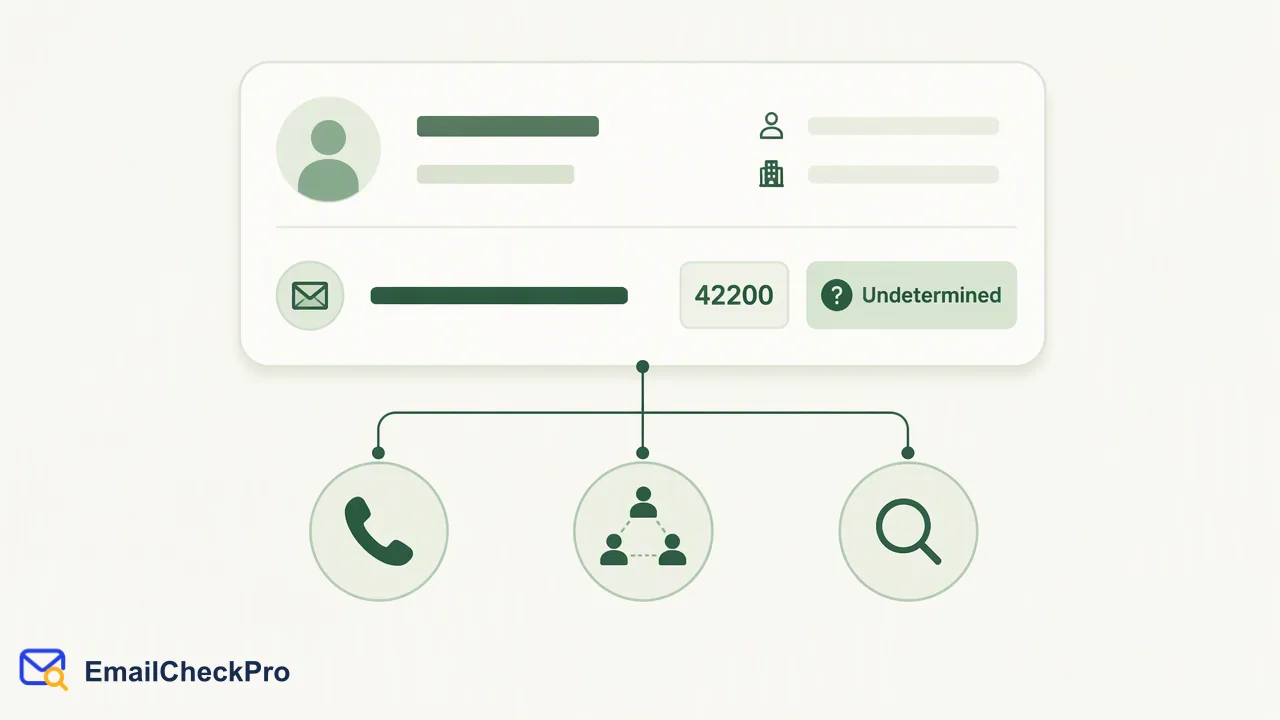
A catch-all result means the domain accepts mail for any address, so the check cannot be settled either way; treat it as undetermined and route it separately.
A catch-all email address sits on a domain whose mail server accepts messages for any name, including names nobody uses. That is why a check on such an address cannot be settled as deliverable or undeliverable. EmailCheckPro treats these outcomes as undetermined rather than guessing, and undetermined checks are not charged. The useful question is not whether the address is good or bad, but how your team should route a contact whose status is genuinely unknown.
Catch-all email meaning in plain terms
A catch-all setting is a choice made by whoever runs a domain's mail server. Many guides use the terms accept-all and catch-all interchangeably, and they describe the same server behaviour.
Why do domains do this? Often it is meant to avoid losing mail when a sender mistypes a name. Some organisations also use it to make it harder for outsiders to guess which addresses exist.
That is the core of the catch-all meaning. It describes how the domain answers, and it leaves the address itself unresolved.
Why a catch-all result is undetermined, not undeliverable
Email Deliverability Check reports two completed outcomes: deliverable, meaning the address could receive mail at check time, and undeliverable. A catch-all domain does not fit either honestly. Calling the address deliverable would overstate what is known, and calling it undeliverable would discard contacts that may be perfectly reachable.
So the check returns no completed result and the outcome is undetermined. In the realtime flow this appears as a non-zero business code of 42200 with no verdict attached, and the address is not charged.
This matters for reporting. If a dashboard or spreadsheet folds undetermined rows into the undeliverable count, the list looks worse than it is and good contacts get suppressed. Keep three buckets in any export: deliverable, undeliverable, and undetermined. Invalid format and failed checks belong in their own buckets as well, because each calls for a different next step.
How to route catch-all contacts
Industry write-ups on accept-all addresses report that mail to them bounces noticeably more often than mail to confirmed addresses. One public experiment from Hunter measured 27% against 1%, and the author recommends neither deleting these contacts nor treating them as valid. Treat that figure as one vendor's data, not a benchmark for your list.
A practical routing plan:
- Separate them. Tag undetermined rows in the CRM instead of mixing them with deliverable contacts.
- Prefer other evidence. If the contact came from a form the person filled in themselves, that origin is stronger evidence than the check can offer.
- Limit exposure. Include undetermined contacts in small, monitored sends rather than the first wave of a campaign.
- Use another channel. For high-value prospects, reach out through a phone call or a professional network instead of relying on one uncertain address.
- Revisit later. A later check can give a different outcome if the domain's setup changes, so keep the rows rather than deleting them.
Avoid sending test messages to probe these addresses; that turns a data-quality task into unsolicited mail.
Catch-all versus invalid and failed results
Three outcomes are often mixed up. The table keeps them apart.
| Outcome | What it means | How to handle it |
|---|---|---|
| Catch-all (undetermined) | The domain accepts any name, so the address is unresolved | Tag, segment, and decide per contact |
| Invalid | The input is not a complete address with a local part, an @ sign and a domain | Fix the typo or request the address again |
| Failed | The check did not complete | Retry later |
Invalid input is not the same as an undeliverable verdict. The address format itself is defined in the public RFC 5321, which is an external format reference rather than a description of how the product reaches its answer.
None of these outcomes is charged, so sorting them out costs nothing extra; the cost is only the time your team spends deciding what to do with each group.
Where catch-all handling fits in list work
Catch-all handling belongs after deduplication and before any send. Run the realtime check for single addresses at capture, or a prepared file when cleaning an existing list, then split the output by outcome. Deliverable rows move forward. Undeliverable rows are suppressed or corrected. Undetermined rows follow the routing plan above.
A deliverable result is specific to the moment of the check. That applies equally to the rows you decide to keep from the undetermined group: keeping a contact is a business choice your team owns, not something the check approves.
FAQ
Is a catch-all address the same as an invalid address?
No. An invalid address is an input problem, such as a missing domain or @ sign. A catch-all address is well formed but sits on a domain that accepts mail for any name, so its status cannot be settled either way. Invalid input should be corrected at the source; catch-all results should be segmented and handled with care.
Are undetermined catch-all checks charged?
No. Only completed deliverable or undeliverable results are billable. Invalid, failed and undetermined checks are not charged, so a list with many catch-all domains costs only for the addresses that returned a completed result. Current rates are on the official pricing and API documentation pages.
Should catch-all contacts be deleted from a list?
Deleting them automatically removes contacts that may be reachable. A better default is to tag them as undetermined, keep them out of the first send, and prefer other evidence such as how the address was collected. Teams can recheck later because a domain's configuration can change.
Learn More
Choose the product information that fits the next step in your workflow.