
Product guidance
Beyond Syntax: A Practical Guide to Email Validation in Laravel Applications
Explore how to combine Laravel syntax validation with real-time deliverability checks to maintain high data quality across user workflows.
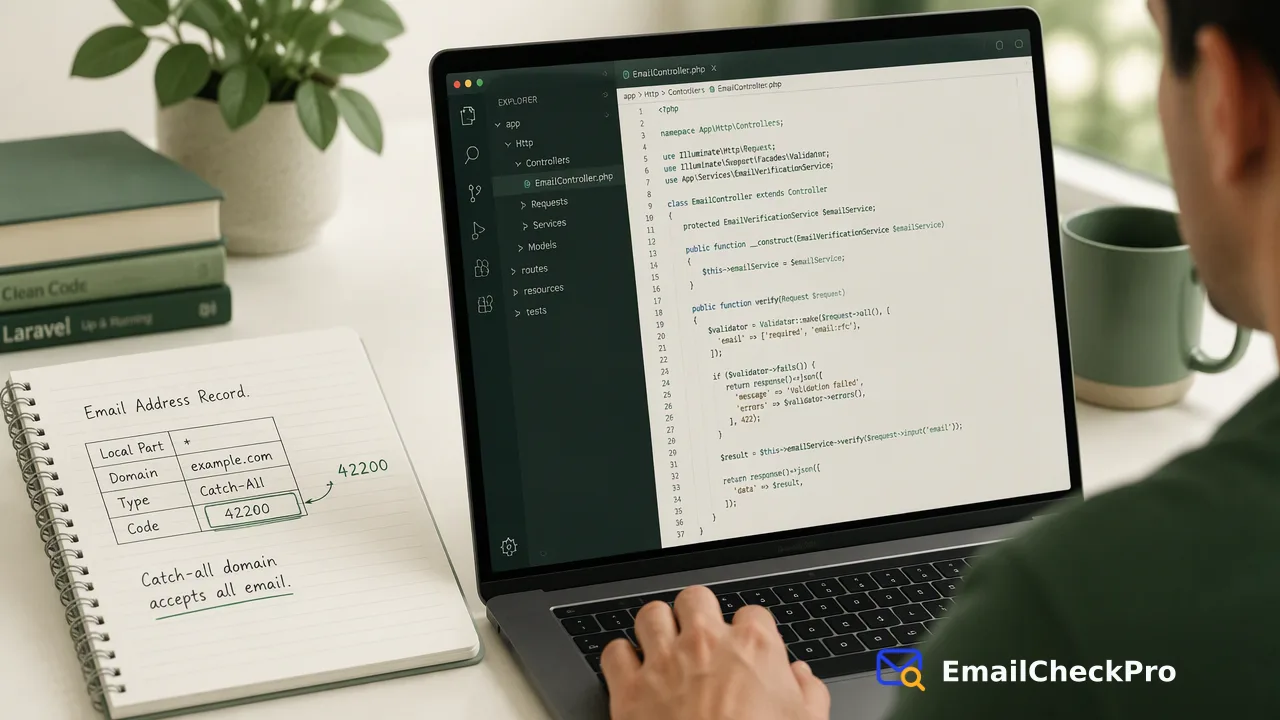
Learn how to improve email validation in Laravel applications by pairing built-in framework syntax rules with real-time service-layer deliverability verification.
Standard Laravel validation rules verify format against standards like RFC 5322, confirming the presence of standard local parts, separator symbols, and formatted domains. Incorporating a dedicated service-layer check alongside framework rules allows applications to identify deliverable and undeliverable addresses at entry, providing accurate data verification for sign-up forms, user profiles, and back-office import pipelines.
The Architectural Boundaries of Regex and Syntax Validation
Web applications commonly start with string-level validation using built-in framework rules or regular expressions. In Laravel, developers often reach for the default validation rules to inspect submitted values:
$request->validate([
 'email' => ['required', 'string', 'email:rfc', 'max:255'],
]);
This instruction evaluates the incoming string against the addr-spec specification outlined in RFC 5322: Internet Message Format, confirming proper separation between local parts and domains.
While this step filters out malformed strings, typos in structural characters, and unescaped spaces, string analysis remains confined to text formatting. A syntactically perfect address such as user98234@nonexistentdomain.org passes all regex assertions despite having no host or functional destination. Relying solely on syntax parsing leaves user databases vulnerable to dormant accounts, typos in domain extensions, and entirely fabricated destinations.
Framework Syntax Rules and Domain-Level Checks
Laravel provides additional flags within its email validation rule to extend inspection beyond basic formatting. Applying email:rfc,dns causes the framework to perform DNS lookups for MX records associated with the submitted domain host:
$request->validate([
 'email' => ['required', 'email:rfc,dns'],
]);
Checking for the existence of MX records verifies that the host organization has designated mail servers capable of accepting traffic. This eliminates submissions pointing to entirely unregistered domains or domains lacking configured mail services.
Internationalized Domain Names (IDNs) introduce additional parsing considerations. Domains containing non-ASCII Unicode characters require normalization to Punycode representations to prevent character-mismatch issues or potential homograph spoofing risks.
Implementing Service-Layer Verification in Laravel Workflows
To determine whether an address can receive mail at check time, teams integrate service-layer checks into their application layer. EmailCheckPro provides real-time verification through dedicated API endpoints that yield definitive deliverable or undeliverable verdicts.
Within a Laravel controller or dedicated service class, developers dispatch synchronous requests to verify incoming addresses during form processing:
use Illuminate\Support\Facades\Http;

$response = Http::withHeaders([
 'Authorization' => 'Bearer ' . config('services.emailcheckpro.key'),
])->post('https://emailcheckpro.com/api/v1/check', [
 'email' => $request->input('email'),
]);

$data = $response->json();
$isDeliverable = $data['registered'] ?? false;
A registered=true response indicates that the address is deliverable at the moment of the check, whereas registered=false signifies an undeliverable recipient. For multi-address checks in interactive dashboards or batch actions, POST /api/v1/batch-check processes 1 to 100 addresses synchronously.
Handling Edge Cases: Catch-All Domains and Processing Pipelines
Production validation pipelines regularly encounter edge cases such as catch-all configurations. A catch-all domain accepts traffic for all arbitrary addresses, which prevents external confirmation of specific local mailboxes. EmailCheckPro treats catch-all addresses as undetermined rather than guessing an artificial verdict, returning code 42200 to indicate that no clear verdict can be established.
Architecting these checks requires balancing synchronous user feedback with asynchronous processing requirements:
Validation Methods Compared
| Level | Implementation in Laravel | Primary Output | Typical Use Case |
|---|---|---|---|
| Syntax Check | Validator::make(['email' => 'email:rfc']) |
RFC 5322 compliance | Client-side and entry-level gatekeeping |
| Domain Lookup | Validator::make(['email' => 'email:dns']) |
MX record existence | Domain existence confirmation |
| Real-Time API | POST /api/v1/check |
Deliverable or undeliverable verdict | User registration and profile updates |
| Asynchronous Task | POST /api/v1/bulk-tasks |
Batch verification file | Large catalog imports and migrations |
For large-scale data cleansing, asynchronous bulk processing accepts TXT or CSV files containing one email per line through POST /api/v1/bulk-tasks. Teams poll progress via GET /api/v1/bulk-tasks/{id}, observing documented per-product limits detailed in the official API documentation.
FAQ
Why is syntax validation alone insufficient for user data quality?
Syntax validation only examines the string structure against RFC 5322 formatting standards. It verifies whether an address includes a valid local part, an @ symbol, and a domain segment.
How are catch-all domains treated during verification checks?
When a verification check encounters a catch-all configuration, the outcome is marked as undetermined rather than guessed, ensuring downstream pipelines avoid incorrect deliverable or undeliverable assumptions.
What does a deliverable result confirm in application pipelines?
A deliverable verdict confirms that the specific email address was capable of receiving incoming mail at the exact moment of the check. It serves as a point-in-time deliverability signal.
Learn More
Choose the product information that fits the next step in your workflow.