
Product guidance
The 1TB Coffee Machine: Why Your Data Hygiene Needs an Audit
Audit your data hygiene to prevent unmonitored automated processes from inflating pipeline noise, processing overhead, and infrastructure bloat.
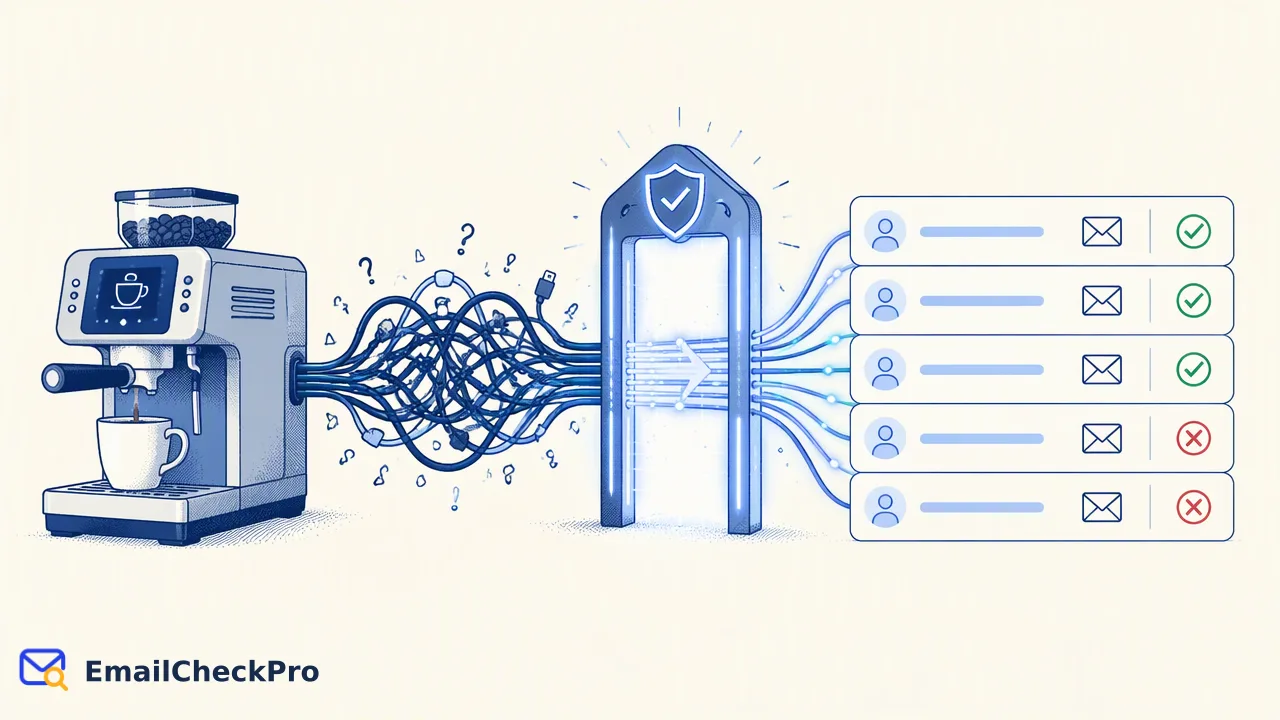
The viral story of a smart coffee machine generating 1TB of traffic highlights the risk of unmonitored automated systems. Applying robust data hygiene and pre-processing verification layers protects data pipelines from costly bloat.
The viral report of an IT professional discovering his parents' smart coffee machine consumed one terabyte of traffic in ten days illustrates the hidden risk of unmonitored automated systems. In data management and email operations, automated workflows operate behind the scenes, processing large volumes of records without continuous manual oversight. When organizations allow unverified inputs, malformed entries, and duplicate records into their pipelines, data bloat accumulates rapidly. Conducting a rigorous data hygiene audit helps teams identify silent resource drains, streamline high-volume operations, and establish pre-processing verification layers that ensure pipelines process only deliverable, relevant records.
The Operational Risk of Automated Black Boxes
Automated appliances and programmatic pipelines often function as digital black boxes. As reported by tech media covering network administrator Nomad's viral discovery, a connected coffee maker broadcast one terabyte of local network traffic within ten days due to an internal software unit bug. While traffic remained primarily within the local subnet, it completely saturated the home Wi-Fi access point, degrading availability until the unit was unplugged.
A similar failure mode occurs in enterprise data operations. When automated workflows ingest contact databases, ingestion pipelines quietly expend compute power, storage allocations, and network bandwidth on malformed, inactive, or duplicate records. Teams frequently assume background processes execute cleanly, yet unmonitored scripts steadily compound resource overhead. Establishing routine audits prevents automated background tasks from saturating technical infrastructure with unnecessary operational noise.
Identifying Data Bloat in Email Workflows
Data bloat manifests when contact lists accumulate duplicate records, obsolete addresses, and improperly formatted entries. Syntax standards defined in RFC 5322: Internet Message Format establish that valid addresses require a structured local part and domain separated by an at-sign. Ingesting raw entries without syntax validation introduces malformed records into downstream systems.
Beyond syntax errors, unchecked accumulation conflicts with regulatory standards. Under GDPR Article 5 (Regulation (EU) 2016/679), organizations must ensure personal data remains adequate, relevant, and limited to necessary processing purposes. Retaining stale or redundant contact records inflates storage and creates compliance overhead. A structured data hygiene audit evaluates data pipelines against these foundational principles:
| Data Hygiene Dimension | Operational Hazard | Remediation Strategy |
|---|---|---|
| Duplicate Entries | Multiplied execution overhead | Automated deduplication at intake |
| Syntax Malformations | Parser failures and aborts | Strict address format parsing |
| Stale/Undeliverable Data | Wasted infrastructure processing | Point-in-time deliverability checks |
Addressing these risks requires treating data hygiene as an active engineering discipline rather than a passive maintenance task.
Filtering Noise with a Pre-Processing Verification Layer
Preventing data bloat requires validating records before they enter active pipelines. In programmatic email environments, teams utilize dedicated deliverability checking services like EmailCheckPro to determine whether an address is deliverable and able to receive mail, or undeliverable, at check time.
For large address files submitted in TXT or CSV formats, bulk tasks streamline preparation by systematically stripping duplicate and invalid lines before analysis begins. This initial intake filter ensures subsequent verification focuses exclusively on unique, well-formed candidates. Per-product volume limits apply, and technical specifications are detailed in the official API documentation. Because deliverability checks operate without sending outbound messages or contacting recipients, verification workflows generate actionable data-quality signals without customer-facing disruption. Completed checks categorize addresses as deliverable or undeliverable, while catch-all domains return an undetermined status rather than an assumed verdict, protecting systems from unverified assumptions.
Establishing Proactive Data Quality Controls
Maintaining rigorous data hygiene requires systematic operational controls rather than sporadic cleanups. Teams should embed validation checkpoints throughout their data ingestion lifecycle:
- Pre-Ingestion Filtering: Require complete email syntax matching standard specifications before storing records.
- Automated Deduplication: Scrub incoming batch files at intake to prevent redundant processing.
- Periodic Deliverability Verification: Assess address reachability via synchronous endpoints for single queries or asynchronous bulk tasks for extensive lists.
- Governance Auditing: Review retention schedules regularly to retire unneeded records in alignment with data minimization principles.
Treating deliverability results as point-in-time reachability signals provides an objective decision-support baseline. Screening data before execution protects processing capacity and eliminates silent pipeline waste.
FAQ
Why do organizations require regular data hygiene audits?
Regular data hygiene audits prevent automated processes from silently consuming computing resources, network bandwidth, and database storage. Contact databases naturally accumulate duplicate records, syntax errors, and obsolete entries over time. Auditing technical pipelines supports compliance with data minimization standards and ensures automated workflows handle only unique, deliverable records, reducing unnecessary infrastructure overhead across all downstream applications.
How does bulk task preparation handle duplicate or invalid records?
During bulk task preparation, the intake engine automatically scrubs duplicate lines and removes improperly formatted records before verification begins. Submitted files in CSV or TXT formats are parsed to verify complete address structures. This automated pre-filtering phase ensures that background processing resources focus strictly on unique, syntactically valid addresses, while per-product volume limits apply as documented in the API specifications.
What signal does an email deliverability check provide?
An email deliverability check provides a point-in-time reachability signal confirming whether a specific address can receive mail or is undeliverable at the moment of verification. Checks run without dispatching messages to recipient inboxes. The result reflects technical reachability at check time, serving as decision support for data quality workflows rather than proving recipient identity, consent, or future inbox delivery.
Learn More
Choose the product information that fits the next step in your workflow.