
How Often Should You Clean an Email List?
Match list cleaning frequency to list type and triggers. A cadence framework for signup, CRM, and event lists, with a deliverability re-check step.
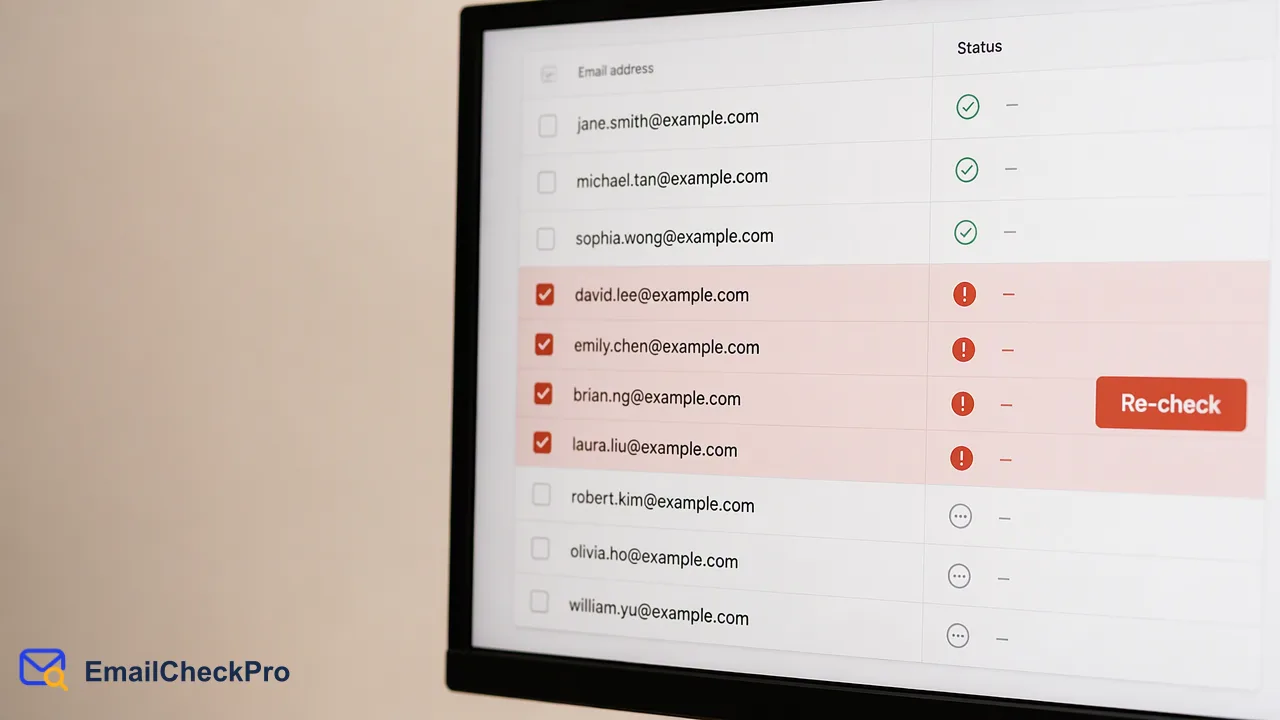
A cadence framework for how often to clean an email list, by list type and trigger, with a deliverability re-check as one step.
Most guides suggest cleaning an email list every three to six months, but the right cadence depends on how fast your list changes and how often you send. Fast-moving lists such as event or lead-capture lists benefit from a check before each campaign, while stable CRM lists can follow a quarterly rhythm. Specific events should also trigger a clean: a large import, a long gap since the last send, or a cluster of bounces. A deliverability re-check is one step in that routine, and because a result only describes the address at the time of the check, re-checking is what keeps the result useful.
Why is there no single answer to how often to clean an email list?
Published advice varies widely. Some vendors recommend monthly cleaning, others suggest every few months, and a few say once or twice a year is enough. Many of those sources sell verification, so treat their intervals as rough guidance rather than rules. See, for example, the range discussed in GlockApps' list-cleaning guide.
Three things actually drive the right interval:
- Turnover. People change jobs, abandon mailboxes, and mistype addresses at signup. A list built from event badges decays differently from a list of paying customers.
- Sending frequency. A list mailed weekly gets feedback every week. A list mailed twice a year gets almost none, so problems pile up unseen.
- Source quality. Addresses typed by hand into a form carry more errors than addresses copied from a verified system.
Start from those three questions instead of a calendar. A short cadence for a high-turnover, rarely mailed list is reasonable; a long cadence for a clean, frequently mailed list is also reasonable.
What cadence fits each list type?
Use this table as a starting point and adjust it after your first few cycles.
| List type | Suggested rhythm | Why |
|---|---|---|
| Signup flow (newsletter, product signup) | Check at the point of entry, then review the stored list quarterly | Errors enter one address at a time, so catch them early |
| CRM contacts | Quarterly, plus before any large outreach | Contacts age as people change roles |
| Event or lead-capture lists | Before the first send, and again if there is a long gap | Hand-typed addresses and quick one-off lists carry the most errors |
| Purchased or partner-supplied lists | Before any use | You do not control how they were collected |
| Dormant lists | Before re-engaging them | Time since the last send is the main risk |
Two cautions apply. First, a list that nobody has mailed in a long time deserves a check even if the calendar says it is not due. Second, a short cadence does not fix a bad source. If every cycle removes a large share of one source, fix that form or import instead of cleaning it more often.
Which events should trigger a clean outside the schedule?
Treat these as triggers that override the calendar:
- A large import. Merging a spreadsheet, an acquired list, or an event export into your CRM is the single most common way bad addresses arrive in bulk.
- A long gap since the last send. The longer a list sits, the less any earlier result tells you.
- A cluster of bounces. Several hard bounces from one source or one send point to a data problem worth investigating before the next campaign.
- A change in sending plans. Moving from occasional mailings to a regular program means more addresses will be tested against real inboxes.
- A form or integration change. If you changed a signup form or connected a new lead source, check the first batch it produces.
For each trigger, clean only the affected segment first. A targeted check of one import is faster and cheaper to review than re-running the entire database, and it shows whether the trigger was a real problem.
Where does a deliverability re-check fit in the routine?
A cleaning cycle is more than a verification run. A practical sequence looks like this:
- Deduplicate. Remove repeated addresses so the same contact is not checked or mailed twice.
- Fix format problems. Lines that are not complete addresses are format errors, not undeliverable verdicts. Correct or drop them.
- Run a deliverability check. EmailCheckPro's Email Deliverability Check reports whether each address is deliverable, meaning it can receive mail, or undeliverable at the time of the check. Nothing is sent to the address.
- Segment the results. Exclude undeliverable addresses. Keep undetermined results, such as catch-all domains, in a separate segment instead of guessing.
- Record the date. Store when each address was last checked, so the next cycle can focus on the oldest records.
The date in step 5 is the reason re-checking matters. A result describes the address at one moment. It is not a guarantee of future delivery, and it says nothing about inbox placement, identity, or consent. Teams that store a last-checked date can set a simple rule, such as re-checking anything older than their chosen interval before a major send.
Choosing the right check size for each cycle
The cleaning method should match the volume. For a handful of addresses, such as a new signup or a lead keyed in by hand, a realtime single check is enough. For a developer integrating a signup form, a synchronous request accepts between 1 and 100 addresses and returns results in input order. The dashboard supports realtime checks of up to 500 addresses at once.
For a full list export, an asynchronous bulk task is the better fit. Upload a TXT or CSV file with one complete address per line; invalid and duplicate lines are removed during preparation. You then poll the task status no more often than every 30 seconds and download one result file when it finishes. Per-product limits apply, so confirm the current ones in the API documentation before planning a large run.
Whichever route you choose, only completed deliverable or undeliverable results are billable, while invalid, failed, and undetermined checks are not charged. Check the official pricing page for current rates.
FAQ
Is cleaning a list too often harmful?
Checking itself does not harm a list, since nothing is sent to the addresses. The cost is effort and spend, so very frequent full-list runs rarely pay off. Targeted checks of new imports and aging segments usually give more value than repeating a full run on stable data.
Should a list be cleaned before every campaign?
Not necessarily. A frequently mailed, well-sourced list gets feedback from every send. Checking before a campaign makes more sense for event lists, imports, dormant segments, and any list where a long gap has passed since the last check.
What should happen to undetermined results after a clean?
Keep them in a separate segment. An undetermined result means a clean answer could not be given, as with catch-all domains. Send to them in small batches, watch for permanent failures, and suppress any that fail, instead of treating them as undeliverable.
Learn More
Choose the product information that fits the next step in your workflow.