
Email Verification in Python: Checking Deliverability from Your Code
Validate address format with a maintained library, then check deliverability from Python for one address, 100 at a time, or a whole file.
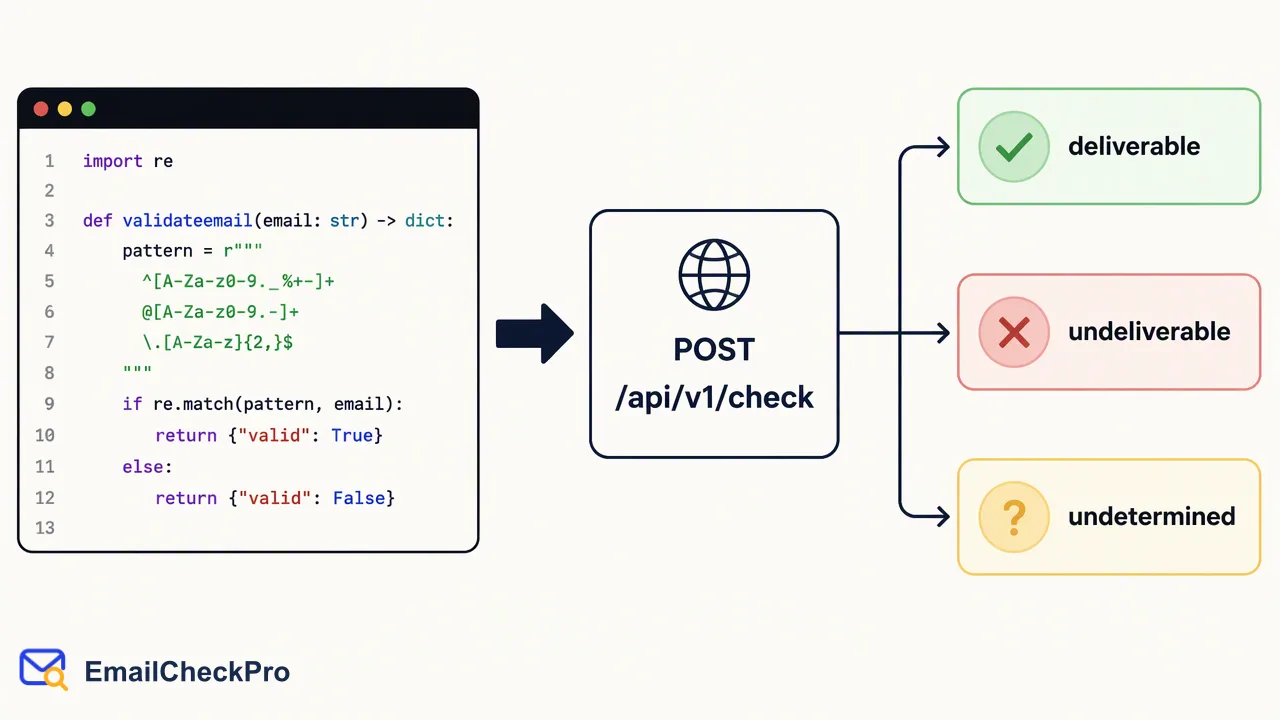
A Python walkthrough for email verification: local format validation, single and multi-address deliverability checks, and asynchronous bulk tasks.
Email verification in Python has two parts. Validate the format locally with a maintained library such as email-validator, then check deliverability by calling an API from your code: EmailCheckPro's POST /api/v1/check for one address, POST /api/v1/batch-check for 1–100 addresses in one synchronous request, or a TXT/CSV bulk task polled no more often than every 30 seconds for whole files. Each completed check reports deliverable or undeliverable at the time of the check, and some addresses remain undetermined. The check sends nothing to the address.
Format validation vs deliverability checks in Python
Most Python tutorials on this topic mix three techniques: a regex, a DNS lookup on the domain, and a script that talks to the recipient's mail server. They answer different questions, and the last one carries real risks.
| Technique | What it tells you | Main limitation |
|---|---|---|
| Regex or validation library | The input looks like a complete address | Says nothing about the mailbox |
| Domain DNS lookup | The domain appears set up to receive mail | Says nothing about the individual address |
| Do-it-yourself mail server script | Sometimes whether a recipient is accepted | Many servers accept everything or refuse unknown callers, and your IP can end up on blocklists |
| Deliverability check API | Deliverable or undeliverable at check time, with nothing sent | Some addresses remain undetermined |
A practical Python pipeline uses the first row for every input and the last row for addresses that matter, such as new signups, imports, or a list about to be mailed. Confirmation links stay a separate step for consent and ownership.
Step 1: validate format with email-validator
The email-validator package gives readable error messages and a normalized form of the address, which is a better starting point than a hand-written pattern.
from email_validator import validate_email, EmailNotValidError

def screen_format(raw: str) -> str | None:
    try:
        result = validate_email(raw.strip(), check_deliverability=False)
        return result.normalized
    except EmailNotValidError:
        return None
Two details matter here:
- Turn off its DNS step. By default the library queries DNS to see whether the domain can receive mail. That is a domain-level signal, it adds latency, and the deliverability API covers the question more directly, so
check_deliverability=Falsekeeps this layer fast and offline. - Store the normalized value. The library lowercases the domain and normalizes Unicode, which keeps duplicates from slipping in under different spellings.
A malformed entry should go back to the user or into a fix-up list. It is not an undeliverable result, and the OWASP guidance advises against strict custom patterns that reject valid addresses.
Step 2: check deliverability for one address
For a signup view or a profile edit, call the single endpoint from server code using requests.
import os
import requests

API_BASE = os.environ["EMAILCHECK_API_BASE"]   # from the API documentation
session = requests.Session()
session.headers.update(build_headers())        # auth headers exactly as documented

def check_one(email: str) -> str:
    try:
        resp = session.post(f"{API_BASE}/api/v1/check",
                            data=build_check_body(email),   # body as documented
                            timeout=(3.05, 10))
        return to_outcome(resp)  # "deliverable" | "undeliverable" | "undetermined"
    except requests.RequestException:
        return "not_completed"
build_headers, build_check_body and to_outcome are small helpers written from the EmailCheckPro API documentation, so authentication and field details live in one place and match the published contract. Returning plain strings keeps the rest of the codebase independent of the response format.
Always pass a timeout. The Requests documentation notes that requests do not time out by default and that a tuple sets separate connect and read limits. Choose values from your own page's tolerance; the numbers above are examples.
Then branch on four states:
- Deliverable: continue and save the check date.
- Undeliverable: ask for another address.
- Undetermined: for example a catch-all address. The realtime API returns a business code instead of a result, and the check is not charged. Accept with a flag.
- Not completed: a timeout or network error. Accept with a flag and re-check later from a queue.
Step 3: check up to 100 addresses per request
Admin tools, small imports and nightly jobs often hold a few dozen or a few hundred addresses. POST /api/v1/batch-check accepts 1–100 addresses and answers in the same response, with results in input order.
def chunks(items, size=100):
    for start in range(0, len(items), size):
        yield items[start:start + size]

def check_many(emails: list[str]) -> dict[str, str]:
    outcomes = {}
    for group in chunks(emails):
        items = post_multi(group)          # POST /api/v1/batch-check
        for email, item in zip(group, items):
            outcomes[email] = item_outcome(item)  # no completed result -> "undetermined"
    return outcomes
Because order is preserved, zip maps each item back to the address that produced it. Each item also says whether a completed result exists. Only items with one carry deliverable or undeliverable; anything else goes to the undetermined or not-completed group, never into undeliverable.
Deduplicate the normalized addresses before chunking, so the same mailbox is not checked twice in one run. For a few hundred addresses without code, the dashboard's realtime check handles up to 500 at a time.
Step 4: run a bulk task for whole files
Once the source is an export, a bulk task is the better fit. It is asynchronous, so run it from a script, a scheduled job or a worker such as Celery rather than a web view.
- Write the file. Produce TXT or CSV with one complete address per line. Python's built-in file writing is enough for TXT; the csv module helps when you start from a spreadsheet export.
- Submit and save the task reference in your database, with the file name and time, so a restarted worker can resume.
- Poll patiently at intervals of 30 seconds or more:
import time

def run_bulk(path: str) -> str:
    task_ref = submit_file(path)           # POST /api/v1/bulk-tasks
    save_task(task_ref, path)              # survive worker restarts
    while True:
        status = get_status(task_ref)      # GET /api/v1/bulk-tasks/{id}
        if status.finished:
            return status.result_link      # valid for 12 hours
        time.sleep(30)                     # never poll faster than this
- Download and merge. A successful task returns one CSV at a link that lasts 12 hours; query the same task again for a fresh link if it expires. Read it with
csv.DictReaderand join on the email address, not the row number, because invalid and duplicate lines are removed during preparation.
The deliverability CSV pairs each address with its outcome. For Gmail, Yandex and Mail.ru lists, Email Bulk Avatar Check adds avatar columns; its avatar link can be empty even when an avatar is present. Per-product task limits are listed in the API documentation.
Keeping the Python integration reliable
- Keep the key out of code. Read it from an environment variable or secret store; it spends the account balance shared by web checks, API calls, bulk tasks and MCP access.
- Reuse a
Session. It keeps connections open across calls, which helps loops over multi-address chunks. - Record dates. A result describes the address at check time, so store the date and re-check older rows before a large send.
- Queue retries. Undetermined, failed and invalid checks are not charged, but immediate retries rarely change the outcome. Schedule them with a delay and a cap.
- Test the branches. Mock the helper that calls the API and assert that each state reaches the right message or queue.
- AI notebooks and assistants: the MCP endpoint at
https://emailcheckpro.com/mcpsupports single checks and up to 100 addresses; file tasks stay on the REST API.
FAQ
Which Python library is best for email format validation?
email-validator is a widely used choice because it gives clear error messages, supports internationalized domains and returns a normalized address. Whatever library a team picks, the key is to use one source of truth across forms, imports and scripts, and to disable optional DNS lookups when a separate deliverability check already covers whether the address can receive mail.
How can teams check a large CSV of addresses from Python?
Write a TXT or CSV file with one complete address per line, submit it as a bulk task, and poll its status from a background job no more often than every 30 seconds. When it succeeds, download the single result CSV within 12 hours, or query the task again for a fresh link, and merge results back by email address.
Why not verify mailboxes with a homemade Python mail-server script?
Many mail servers accept every recipient, delay unknown callers or block repeated connections, so scripts return a large share of inconclusive answers and can get the sending IP blocklisted. A hosted deliverability check returns deliverable or undeliverable without sending anything to the address, and marks addresses it cannot settle as undetermined instead of guessing.
Learn More
Choose the product information that fits the next step in your workflow.