
Email Verification Pricing: Which Results You Pay For
Compare how email verification billing works and which results EmailCheckPro charges for: completed checks yes, invalid, failed and undetermined no.
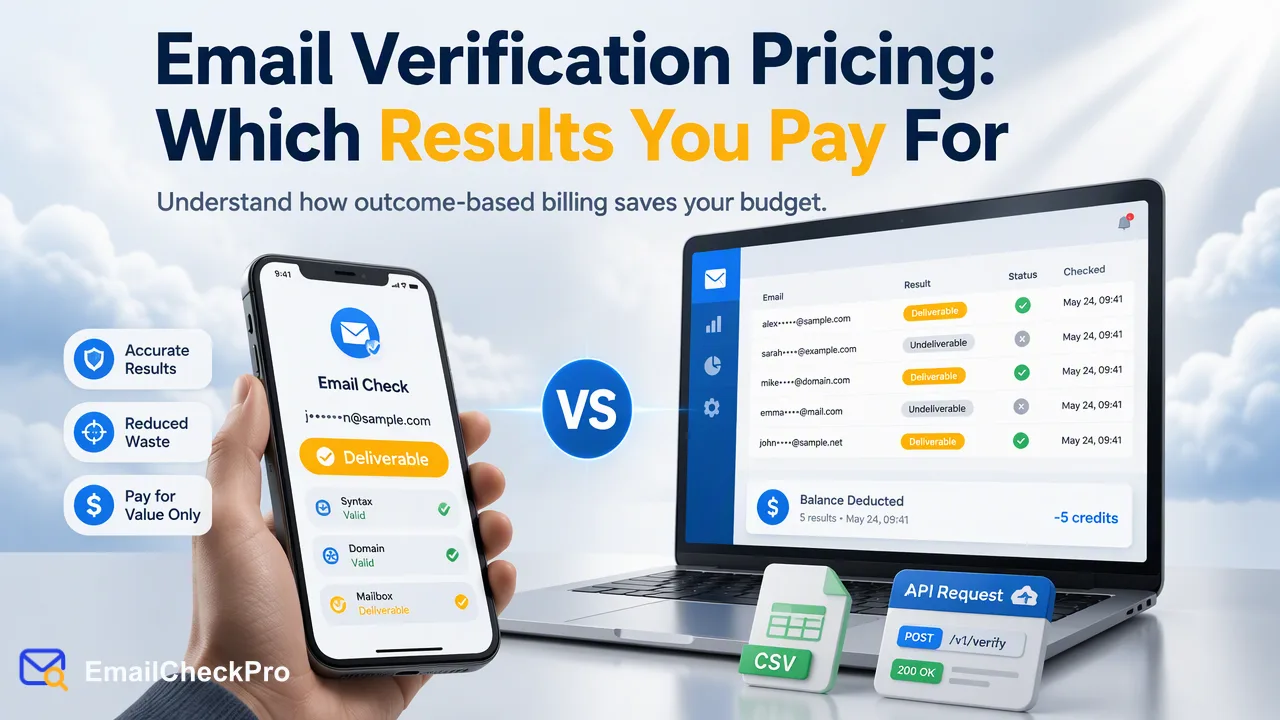
Verification pricing depends less on the headline rate than on which outcomes are billed; this guide shows how to compare and what EmailCheckPro charges for.
Email verification pricing is usually per address, but the headline rate is only half the story. What matters is which outcomes are billed: completed results, unknown results, duplicates or failed requests. With EmailCheckPro, a completed check that returns deliverable or undeliverable is charged, while invalid, failed and undetermined checks are not. Web checks, REST API checks, bulk file tasks and MCP access share the same account balance. For current rates, use the official pricing page and the API documentation rather than a figure quoted in an article.
How per-address email verification billing typically works
Most services bill per address checked, sold as credits or a balance that is drawn down. Beyond that, vendor policies differ in ways that change your real cost.
Public billing pages from several vendors show the range. Some state that unknown results are not charged, while others treat certain risky or catch-all outcomes differently. Some refund duplicates after a list is processed, others bill them. Credit expiry, minimum purchase sizes and volume tiers also vary. Sources disagree on details and policies change, so check each vendor's current terms before you buy.
Because of this, the lowest rate per credit is not automatically the lowest cost. A service with a cheaper rate that bills duplicates and unresolved results can cost more per usable address than one with a higher rate that charges only for completed answers. The comparison that matters is cost per address you can act on, not cost per address submitted.
What EmailCheckPro charges for
EmailCheckPro's rule is based on outcome, not on how many rows you submitted.
| Outcome | What it means | Charged |
|---|---|---|
| Deliverable | The address could receive mail at check time | Yes |
| Undeliverable | The address could not receive mail at check time | Yes |
| Invalid input | Not a usable address, for example the wrong format | No |
| Failed check | The check did not complete | No |
| Undetermined | No result could be given, such as a catch-all address | No |
Both deliverable and undeliverable are completed, billable results. An undeliverable verdict is a finished answer, so it is billed the same as a deliverable one. Email Avatar Check, which applies to Gmail, Yandex and Mail.ru addresses, has its own rate, and an unsupported domain is rejected before a realtime charge. Current rates for each product are on the official pricing page and in the API documentation.
Web checks, REST API checks, asynchronous bulk file tasks and MCP access draw on the same account balance, so one funded account covers every route.
In practice this means you can plan around two groups. Rows that reach a verdict are the ones you pay for, and rows that do not are returned to you for review at no charge. The completed results are the ones you can act on in a CRM or outreach workflow.
How to compare verification pricing fairly
Build your comparison around the questions below rather than a single rate.
- Which outcomes are billed? Ask specifically about unknown, catch-all, invalid and failed results.
- Are duplicates billed? For large imports this can change the total noticeably.
- How do realtime and bulk differ? Some vendors price them separately.
- Does the balance expire? Expiry affects teams with seasonal volume.
- Do the routes share a balance? A single balance across dashboard, API and AI-client access is easier to manage.
- Are there minimum purchases? These matter for small teams.
Then run a sample. Take a few hundred addresses from your own list, run them through each candidate, and count how many rows end in a completed result you can act on. Compare the actual charge to that count.
Avoid treating any unverified figure from a comparison blog as current. Rates, free offers and policies change, so confirm on each vendor's own pricing page.
A worked comparison method
Suppose you submit the same sample file to two vendors. Count how many rows each returns as a firm answer, how many are returned as unknown or risky, and how many are billed. Divide the total charge by the firm answers. The vendor with the lower figure is cheaper for your data, whatever its rate card says. Repeat the exercise with a second sample drawn from a different source, because list quality varies and one sample can mislead.
Estimating cost before you run a list
You can estimate the shape of a bill without knowing the rate by working through the list first.
Step 1: Clean the file
Remove blank lines and obviously malformed values. In a bulk task, invalid and duplicate lines are also removed during preparation, so they do not become completed results.
Step 2: Choose the right product
Use Email Deliverability Check for addresses on virtually any domain. Use Email Avatar Check only if you need the public avatar signal for Gmail, Yandex or Mail.ru addresses. If your list mixes domains, an avatar bulk file that contains an unsupported domain fails preparation and the reserved amount is returned, so separate the list first.
Step 3: Match the route to the size
A single address uses the single check. Up to 100 addresses can go through a synchronous multi-address request. Prepared files go through an asynchronous bulk task. The dashboard supports realtime checking of up to 500 addresses.
Step 4: Check the balance
The balance endpoint, GET /api/v1/balance, reports your current balance before you submit a large task.
Multiply the count of addresses you expect to receive a completed answer by the current rate from the official pricing page. That gives a defensible estimate without relying on a number someone else published.
FAQ
Is an undeliverable result charged?
Yes. Deliverable and undeliverable are both completed results, and both are billed at the rate for the product used. Invalid, failed and undetermined checks are not charged.
Why are undetermined results not billed?
An undetermined check, such as a catch-all address, does not produce a completed verdict, so there is nothing to bill. Teams should review those rows separately instead of treating them as deliverable or undeliverable.
Where can teams find current email verification rates?
Use the official pricing page and the public API documentation. Articles, including this one, do not quote rates because they change and differ by product, such as Email Deliverability Check and Email Avatar Check.
Do web, API and MCP checks use separate balances?
No. Web checks, REST API checks, asynchronous bulk file tasks and MCP access use the same account balance. The balance can be read through the dashboard or the balance endpoint before a large run.
Learn More
Choose the product information that fits the next step in your workflow.